


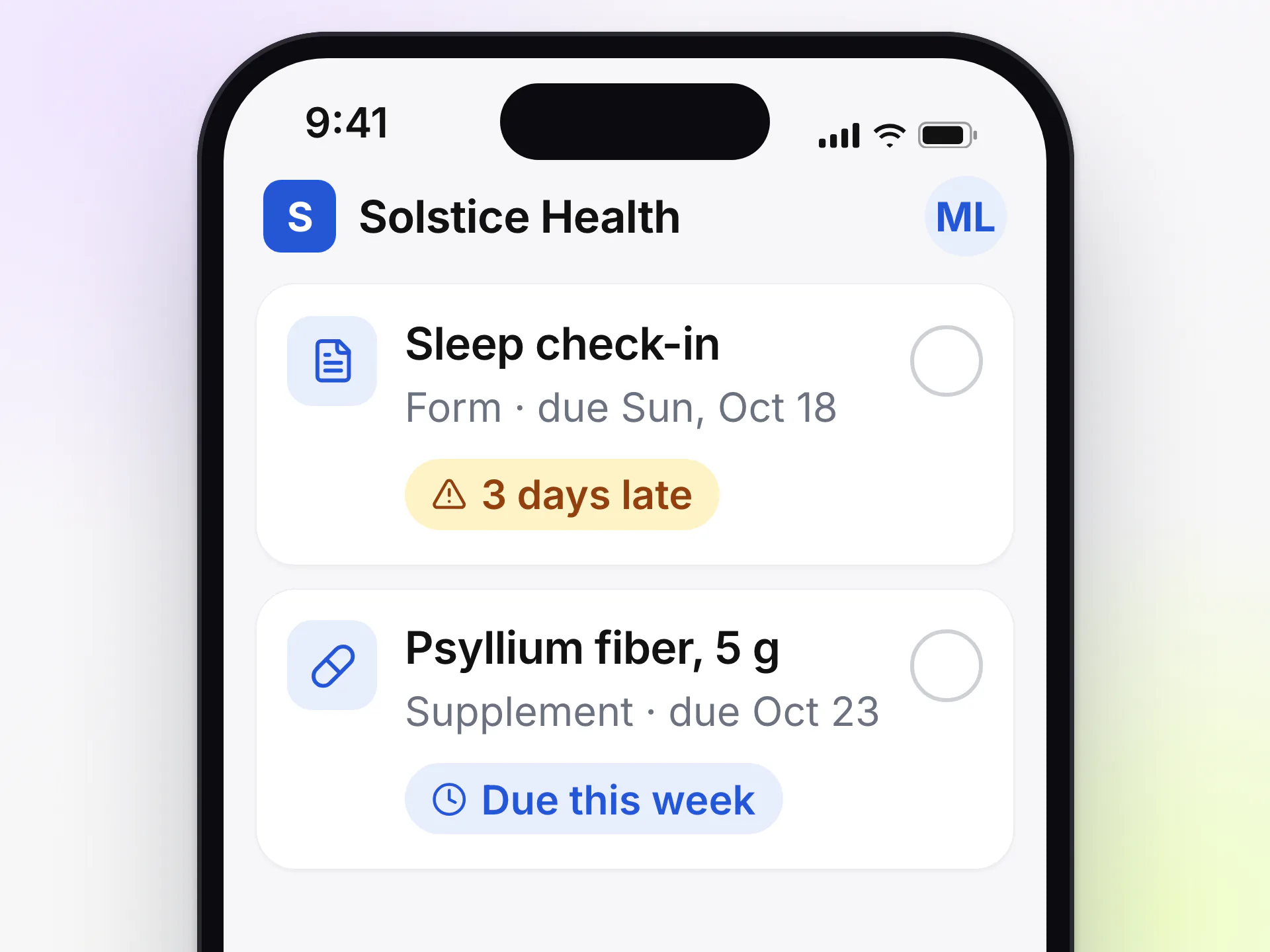
Due dates that stay honest
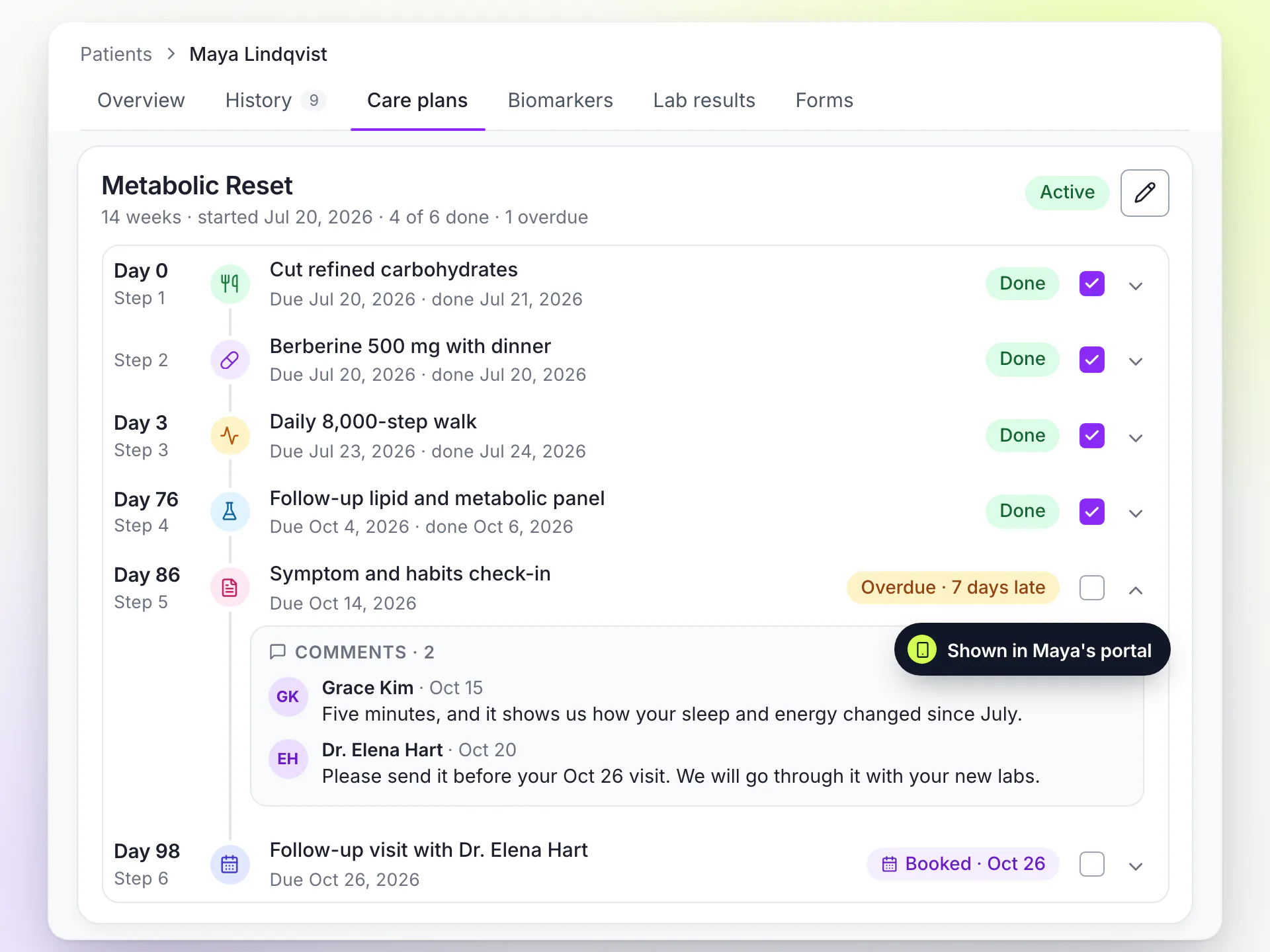
Each step shows when it is due, and a step that slips shows how many days late it is.
Build plans from your clinic's templates, personalize them for each patient and see progress as patients mark steps done in your branded portal. When new results arrive, you edit the plan and nothing the patient already did is lost.
15-day free trial · Unlimited patients · BAA on request

A protocol sent as a PDF can't tell you which steps the patient started, which ones slipped or when the follow-up is due.
In LongevityEHR the plan lives in the chart and in the patient's portal.LongevityEHR is personalized care plan software for longevity clinics. Each plan is broken into steps the patient marks done, so you see progress before the visit instead of asking for it.

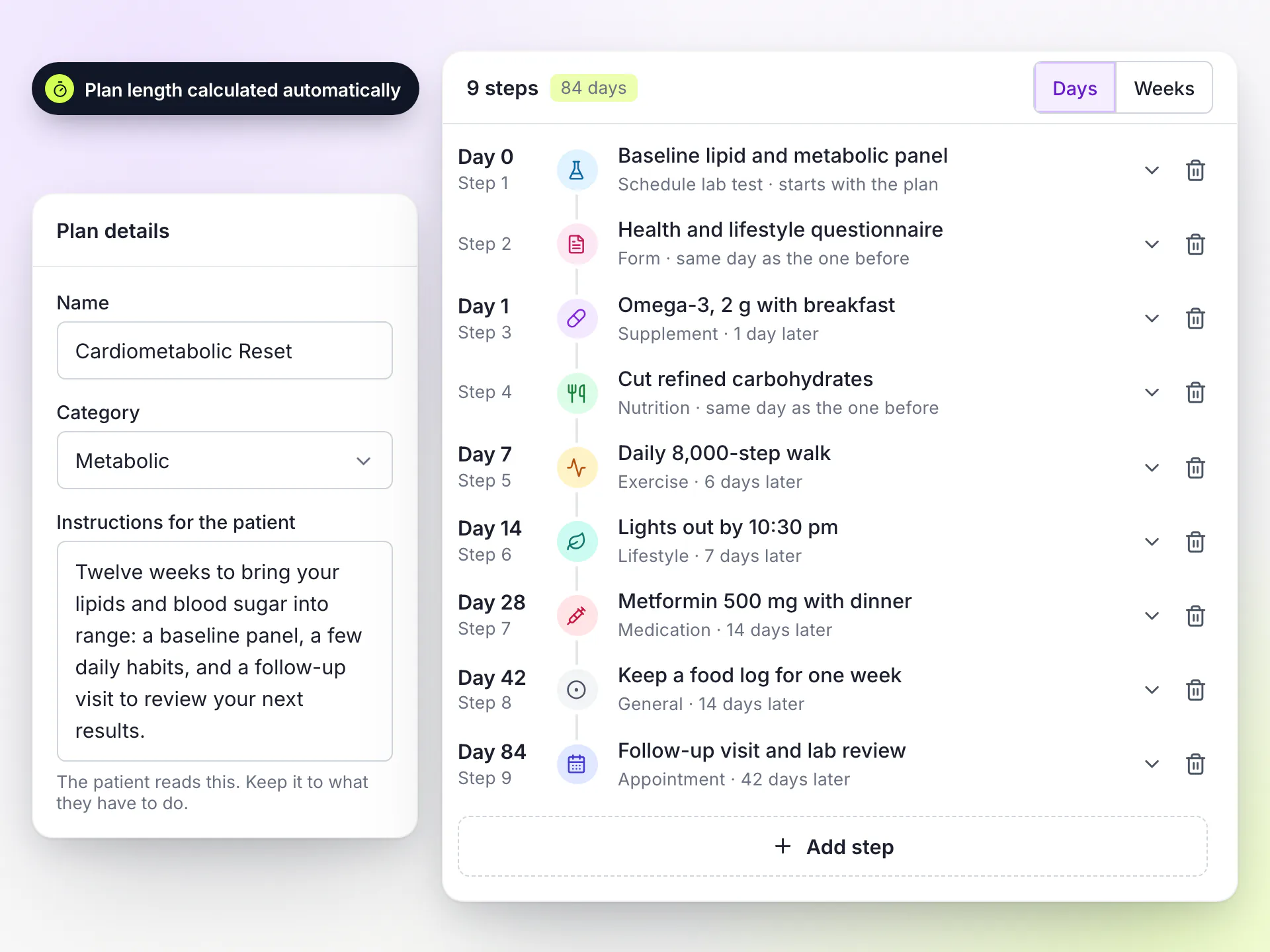
Write the longevity care plans your clinic runs as templates, with steps that each have a type, a label and timing in days.
Templates
Assigning a template creates a personalized care plan for that patient. Editing the template later only affects plans you assign from then on, so a patient's plan never changes under them because a protocol was updated for someone else.
The plan's length follows from where its last step lands, so there is no separate duration field to keep in sync. A plan can run up to 104 weeks.
Care plans have their own screen in your white-label patient portal, shown in your clinic's logo and brand color.
Each step shows when it is due, and a step that slips shows how many days late it is.
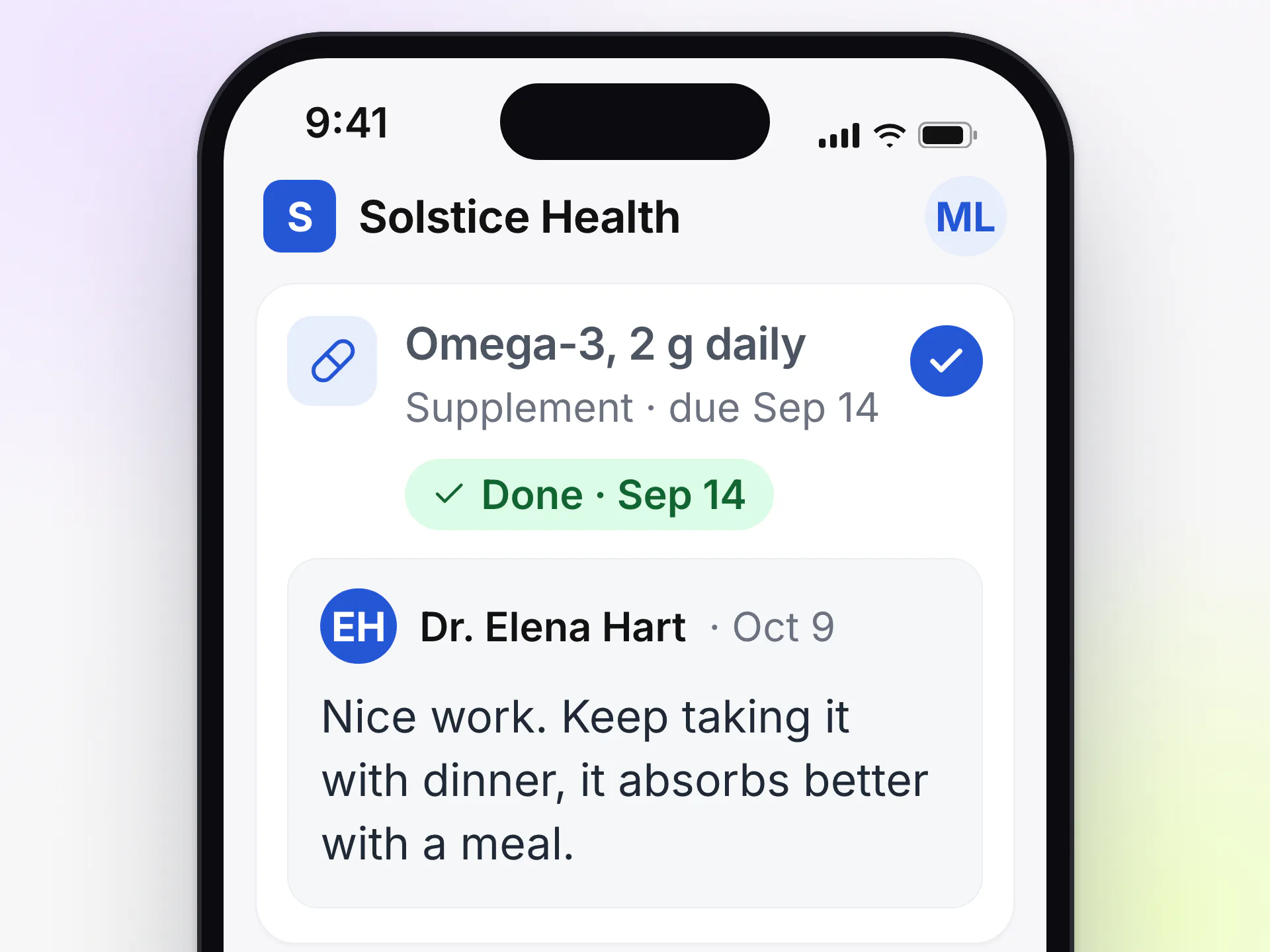
One tap marks a step done, and another undoes it. Your comments appear inside the step they are about.
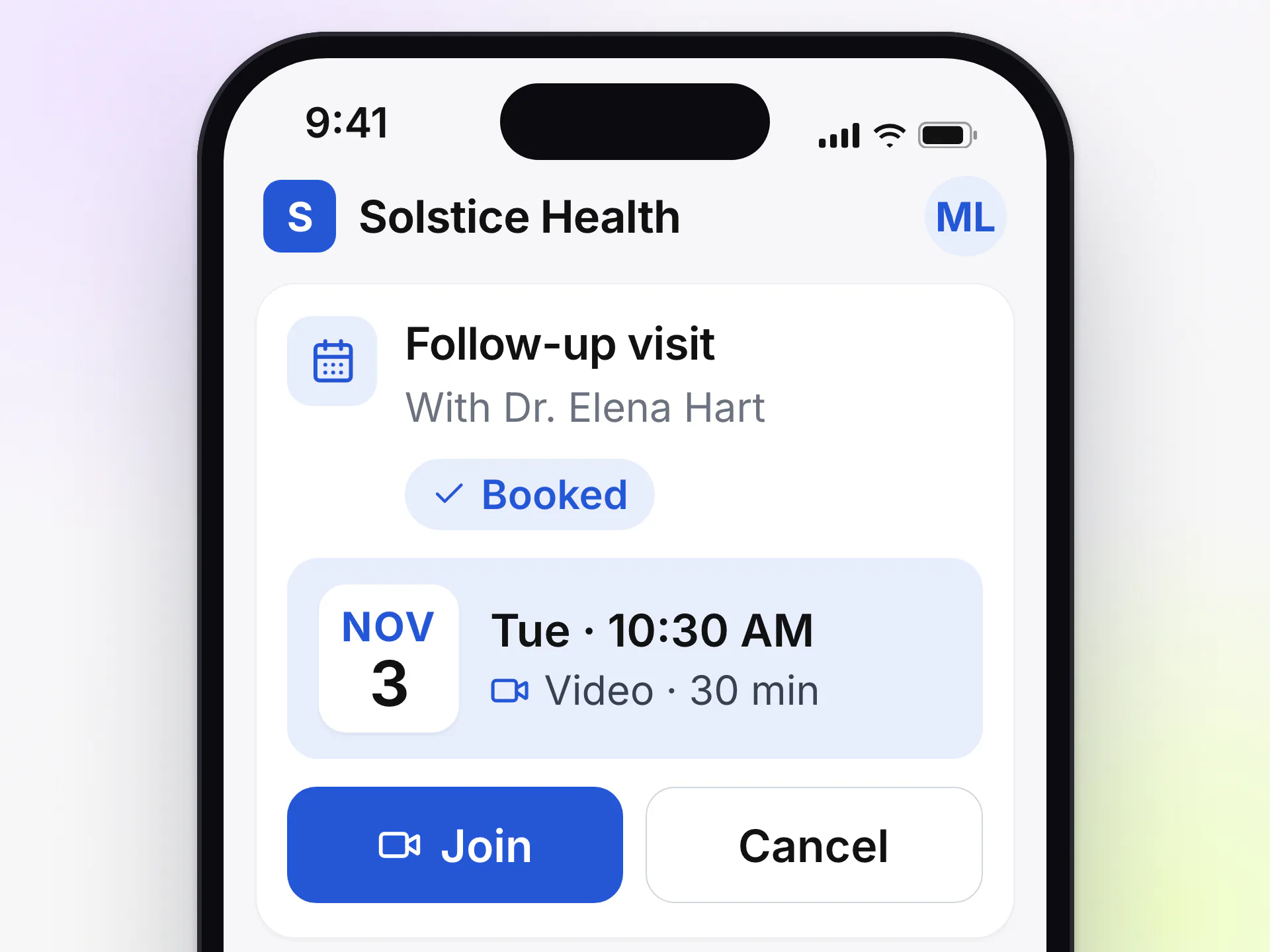
Appointment steps link straight into booking, then show the date with options to join or cancel. See scheduling and video visits.
Provider review
In the chart, a provider reads the whole plan without opening an edit form: which steps the patient marked done and when, what is due and what is overdue. Write a short comment on a step and the patient reads it in the portal. Book a step's appointment on the patient's behalf when that is easier.
When new results land in the patient's biomarker trends, edit the plan. Each step keeps its identity, so what the patient already completed survives the edit. A step you drop is archived, not deleted, because a plan the patient followed is part of their record.
AI-drafted care plans are on the roadmap
A first draft of the plan, built from the patient's results, that the provider reviews and edits before anything reaches the patient. It is not available today. Today every plan comes from your own templates and your team's judgment.
Software that turns a treatment protocol into a structured plan with steps, timing and follow-up, and tracks progress against it. In LongevityEHR the plan sits in the chart and in the patient's portal, next to their labs and biomarkers.
Yes. Assigning a template gives the patient their own copy, which you edit freely. Changes to the template afterward only apply to plans assigned from then on.
Yes. Patients mark steps done, or undo them, in the patient portal, and the provider sees each completion and its date in the chart.
Yes. An appointment step lets the patient book the visit from the step itself, and a provider can book it on the patient's behalf. See scheduling and video visits.
Not today. AI-drafted care plans, always reviewed and edited by the provider, are on the roadmap. Today plans are built from your clinic's templates.
Not yet. Medication steps describe the protocol, and e-prescribing from the patient chart is in development.
Start a free trial, load one of your protocols as a template and assign it to a test patient.